Pixy Pony — the Pony Kingdom
A 3D world a child simply wanders through: bouncing on trampolines, collecting fizzy drinks, helping the locals and picking up letters and numbers along the way. There is no way to lose here.
Runs straight in the browser — nothing to install, nothing to sign up for.
What kind of game is this
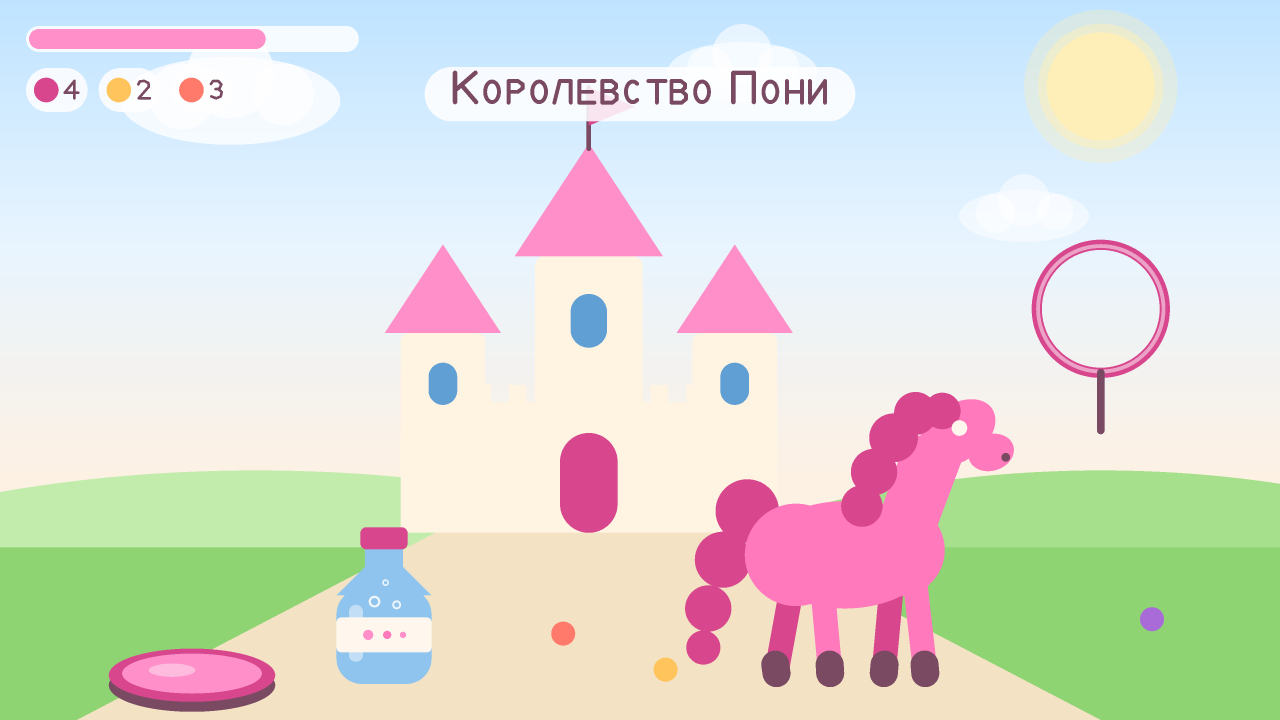
Pixy Pony is a small game about a pony who lives in a kingdom full of flowers. The world is open: nothing pushes the child forward, nothing counts points, no timer runs. It is up to the child where to go — down to the village, over to the trampolines, into the alphabet grove or off to the marsh to meet the spiders.
The one rule of the game is that you cannot lose. There are no lives, no enemies, no damage and no “game over” screen. If the pony slips off a cloud, she lands softly on the grass, shakes herself off and trots on.
Every bit of the graphics, music and sound is drawn and played by code: there is not a single downloaded picture or audio file inside. That is why the game is small, opens quickly and works offline.
What age it is for
The game is made for children aged 5 and up. There is no upper limit: seven- and eight-year-olds get into the errands and the routes, five-year-olds are happy with the jumping and the chats with the locals.
Children aged 5–8
Big buttons, plain words, and everything important is said out loud — reading is not required.
Together with a grown-up
The first five minutes go easier side by side: show how to jump and how to walk up to a pony for an errand.
Children who like things calm
No chases, no scary characters, no sudden loud sounds. Getting it wrong costs nothing: the game just offers another try.
What is inside: where you can go
It is one continuous world — the child runs from place to place, and there is no level-select menu anywhere.
The castle and the village
Home base. A fountain, a market, a bakery and a forge, and the villagers who hand out errands.
Trampoline park with hoops
The harder the push-off, the higher the bounce. The goal is to fly through a hoop hanging in the air.
Cloud hopping
A path of clouds with gaps in it, leading up to a rainbow. Good practice for judging distance and for being brave: falling off costs nothing.
The lily-pad marsh
Hopping from pad to pad, sour berries in the shade, and friendly little spiders who say hello instead of scaring anyone.
The desert
Hot dunes, cacti and one rare flower to track down. The emptiest part of the world, and the most spacious because of it.
The snowy valley
Snowdrifts, snowmen and slippery slopes. This is where the snow for the village bakery’s ice cream comes from.
The waterlily lake
Still water, lilies and reflections. A place to just sit for a while after all that running.
The apple meadow and the apiary
Apples go into a basket, and the apiary hands out a honey drink. The bees here are friendly and never sting.
The alphabet grove
Big letters standing between the trees. Walk up to one and it says its own name out loud and shows a word to go with it.
The number valley
The same idea with numbers: the number says itself out loud, and next to it stand exactly that many things.
A closer look at every location — what is there and why go — is on the Locations page.
Eight ponies with errands
Eight residents are scattered across the world: a blacksmith, a gardener, a beekeeper, a coach, a pastry chef, a marsh expert, a climber and a sly little unicorn by the fountain. Each of them asks for something simple and kind — bring apples, find the flower in the desert, take honey to the baker, dance for the little ones. The errand is spoken out loud and then stays on screen as a line of text so it is not forgotten.
Nothing ever expires: take an errand, run off to the other end of the world, come back a week later — it is still quietly waiting.
The kingdom is also home to four fairies who live on their own glowing glade and grant ponies special charms. More about them on the Ponies or fairies page.
Fizzy drinks and the pony’s shape
Bottles of fizzy drink are dotted around the world. The bubbles make the pony jump higher — you notice it right away, and it works as a reward that makes sense: collect some, jump better.
The pony’s shape shifts a little too: sweet drinks make her rounder, long runs and a protein shake make her sportier. Both shapes are good, they just come with different superpowers — the round one lands softer and glides longer, the sporty one runs faster. There is no “right” shape in the game and nothing that says “slim down”, only different abilities you can switch between, back and forth, as often as you like.
What the game teaches
- Letters. In the alphabet grove each letter says its own name and shows a word that starts with it. A child gets to know the shape of a letter long before reading, with no flashcards and no “repeat after me”.
- Counting. In the number valley the numbers are spoken out loud, with exactly that many objects lying beside them. Plus counting with a purpose: collect four apples, bring three bottles of fizzy drink.
- Coordination and judging distance. Bouncing on trampolines, flying through hoops and hopping across clouds all train a sense of distance and precise movement.
- Planning a route. The world is big and there is no map to follow. To carry honey from the apiary to the bakery, the child has to remember where the bakery is and lay out the way in their head.
- Listening comprehension. The villagers speak out loud: the child has to hear the request, hold it in mind and work through it step by step.
- Patience. The forge does not hand over horseshoes straight away — the blacksmith wants four bottles of juice first. The goal is not instant, but it is not a grind either.
A full breakdown of how the alphabet grove and the number valley work is on the Learning letters and counting page. Trampolines, cloud parkour and the other active spots are covered on the Parkour and trampolines page.
This is not a curriculum and not an assessment — just a game in which letters and numbers happen to turn up. More about that on the Terms page.
How much time it takes
- The first launch — under a minute: the game opens from a link, with nothing to install.
- The first errand usually arrives within 2–3 minutes, before the child has even got the hang of the controls.
- One session — 20–30 minutes. After that attention drifts anyway, and that is a fine moment to stop.
- The whole world, with every errand done, takes a few days, a little at a time. Nothing here is built around finishing it in one evening.
You can stop at any second: progress is saved continuously, nothing burns down and nothing is lost. More about screen time on the For parents page.
How to start playing
- Press Play — the game opens in this same tab.
- Wait for the world to load (a few seconds the first time).
- Walk the pony over to the nearest villager: there is a marker floating above them. They will say hello and give an errand.
- From there the child works it out. If anything is unclear, the ❓ button in the game opens the “How to play” hint.
On a phone or tablet
A joystick on the left of the screen, a big jump button on the right. The camera turns by dragging a finger anywhere else on the screen. Every button is large and easy to hit, even with a small finger.
The game can be added to the home screen and launched from an icon like any other app — step-by-step guide for parents.
On a computer
- W A S D or the arrow keys — run
- Space — jump; press it again in mid-air for a bubble jump
- Shift — go faster; hold the mouse button to turn the camera
- M — music, V — voice, O — settings
- R — back to the castle, F — dance
What the game does not have
No ads, no purchases, no chat with strangers, no data collection, no links leading away, no timers, no “come back soon” notifications. The full, honest list is on the For parents page, and what happens to data is covered in the privacy policy.
Free, no sign-up, works offline.